Nowara Infotech

Microsoft Dynamics 365 Business Central

How Manufacturing ERP Software Transforms the Packaging Industry in the UAE

In the rapidly growing manufacturing sector of the UAE, efficiency and innovation are paramount. As the packaging industry evolves, companies must adopt advanced technologies to stay competitive. Enter Manufacturing ERP (Enterprise Resource Planning) software – a transformative solution that streamlines operations, enhances productivity, and drives growth. In this blog, we will explore how manufacturing ERP software revolutionizes the packaging industry in the UAE, the best ERP tools available, and why Microsoft Dynamics 365 Business Central stands out as the ultimate choice. What is Manufacturing ERP? Manufacturing ERP software integrates various business processes into a unified system, providing real-time insights and control over operations. It encompasses modules for inventory management, production planning, quality control, procurement, and financials, among others. By centralizing data and automating workflows, ERP systems reduce inefficiencies, improve decision-making, and boost overall productivity. The Size of the ERP Market in the UAE The ERP market in the UAE is thriving, driven by the country’s commitment to digital transformation and innovation. According to recent studies, the ERP market in the UAE is expected to grow significantly, reaching approximately USD 445.78 million by 2026, with a compound annual growth rate (CAGR) of 10.8%. This growth underscores the increasing adoption of ERP solutions across various industries, including manufacturing and packaging. Which ERP Tool is Best Suited for the Manufacturing Industry? When it comes to selecting the best ERP for the manufacturing industry, several factors come into play, including scalability, flexibility, and industry-specific features. Among the top contenders, Microsoft Dynamics 365 Business Central stands out as the ideal choice for manufacturing companies, especially in the packaging sector. Why Microsoft Dynamics 365 Business Central? 1. Comprehensive Functionality: Microsoft Dynamics 365 Business Central offers a wide range of modules tailored to the manufacturing industry, including production planning, inventory management, quality control, and financials. 2. Seamless Integration: Business Central integrates seamlessly with other Microsoft tools like Excel, Outlook, and Power BI, providing a holistic ecosystem that enhances productivity and collaboration. 3. Scalability: As a cloud-based solution, Dynamics 365 Business Central is highly scalable, allowing companies to expand their operations without worrying about system limitations. 4. Real-time Insights: With advanced analytics and reporting capabilities, Business Central provides real-time insights into operations, enabling data-driven decision-making and proactive problem-solving. ERP Software Used in the UAE Several ERP solutions are popular among UAE businesses, each catering to different needs and industries. Some of the widely used ERP software in the UAE include: SAP: Known for its robust features and global reach, SAP is a popular choice among large enterprises. Oracle ERP Cloud: Renowned for its comprehensive suite of applications, Oracle ERP Cloud is favored by businesses seeking extensive functionality. Odoo: An open-source ERP solution that offers flexibility and customization options, Odoo is popular among small and medium-sized enterprises (SMEs). The Famous ERP Software: Microsoft Dynamics 365 Business Central While various ERP solutions are used in the UAE, Microsoft Dynamics 365 Business Central is gaining significant traction for its versatility, user-friendly interface, and powerful features. Its ability to adapt to the unique needs of the manufacturing industry makes it a standout choice for packaging companies looking to enhance their operations. Transform Your Packaging Business with Nowara Infotech At Nowara Infotech, we understand the unique challenges faced by the packaging industry in the UAE. As a certified partner of Microsoft, we specialize in implementing Dynamics 365 Business Central to help manufacturing companies streamline their operations, improve efficiency, and achieve sustainable growth. Why Choose Nowara Infotech for your manufacturing industries in UAE? Contact Nowara Infotech today to learn how Microsoft Dynamics 365 Business Central in UAE can revolutionize your operations and set you on the path to success. Visit our website at www.nowarainfotech.com
ERP implementation

What are the 7 Stages of ERP Implementation? A Comprehensive Guide

Implementing an Enterprise Resource Planning (ERP) system is a significant undertaking for any organization, promising improved efficiency, streamlined processes, and enhanced data management. However, the journey from selection to full integration involves several critical stages. Understanding these stages and the ERP implementation lifecycle is essential for a successful transition.  This blog outlines the seven stages of ERP implementation and highlights important steps to ensure a smooth process. Continue reading to learn more: 1. Discovering Internal Matters The first step in ERP implementation is understanding the internal needs and challenges of your organization. This involves: 2. Selecting a System Choosing the right ERP system is crucial for meeting your business requirements. Key considerations include: 3. Designing Your System Once the ERP system is selected, the next step is designing how it will fit into your organization: 4. Installation The installation phase involves setting up the ERP software for various industries and preparing the IT infrastructure: 5. Testing Testing is a critical phase to ensure the ERP system functions correctly before full deployment: 6. Deployment Deploying the ERP system involves rolling it out to the entire organization: 7. Continuous Enhancements and Feedback ERP implementation is an ongoing process that requires continuous improvement: ERP Implementation Lifecycle The ERP implementation lifecycle encompasses all these stages, emphasizing the importance of planning, execution, and continuous improvement. It involves: Effective ERP implementation requires a structured process and methodology, often involving: ERP implementation can face several challenges, including: Partner with Nowara Infotech for a Seamless ERP ImplementationNavigating the complexities of ERP implementation can be challenging, but with the right partner, it becomes manageable. Nowara Infotech offers expert guidance and support throughout the entire ERP implementation process and also we are certified Microsoft Partner. From system selection to continuous enhancements, Nowara Infotech ensures best ERP software for manufacturing for a smooth and successful process. Contact us today to get started!

Microsoft Dynamics 365 Business Central

Understanding the Five Stages of Supply Chain Management

Supply Chain Management (SCM) is a crucial aspect of modern business operations, ensuring that products move efficiently from production to the consumer. Effective SCM can reduce costs, increase efficiency, and improve customer satisfaction. The SCM process built on Microsoft Dynamics 365 Business Central is typically divided into five key stages: Plan, Source, Make, Deliver, and Return. This article delves into these stages, highlights examples, and underscores the importance of SCM. 1. Plan Planning is the initial stage of SCM and involves strategizing the entire supply chain process. It requires a comprehensive understanding of market demand, resource availability, and logistical capabilities. Effective planning ensures that resources are utilized optimally, and potential disruptions are anticipated and mitigated. Example: A company manufacturing smartphones must forecast demand accurately to ensure they have enough components, such as chips and screens, to meet production schedules without incurring excess inventory costs. 2. Source The Sourcing stage for supply chain management involves procuring the necessary materials and services to produce the final product. This includes selecting suppliers, negotiating contracts, and managing supplier relationships. Sourcing aims to obtain quality materials at the best price and within the required timeframe.  Example: An automobile manufacturer sourcing steel, rubber, and electronics from various suppliers globally needs to ensure that these materials meet quality standards and are delivered on time to maintain production schedules. 3. Make The Making stage is the actual production phase where raw materials are transformed into finished products. This stage encompasses all activities involved in production, such as manufacturing, testing, packaging, and quality control. Example: A clothing company designs, cuts, sews, and finishes garments. This stage includes ensuring that the products meet quality standards and are ready for distribution. 4. Deliver The Delivering stage involves the logistics of getting the finished product to the customer. This includes order management, warehousing, and transportation. Effective delivery systems ensure that products reach customers in a timely and efficient manner. Example: An e-commerce company managing a vast distribution network must ensure that products ordered online are packed, shipped, and delivered to customers swiftly and accurately. 5. Return The Return stage handles the reverse logistics of the supply chain, dealing with returned products. This could include returns due to defects, excess inventory, or recycling and disposal. Managing returns efficiently is crucial for maintaining customer satisfaction and minimizing costs. Example: A consumer electronics company needs a streamlined process for handling returns of defective products, ensuring replacements or refunds are processed quickly to maintain customer trust. The Importance of Supply Chain Management For Your Business: Cost Reduction: By optimizing the supply chain, companies can reduce costs associated with production, transportation, and storage. Efficiency: Streamlined supply chains improve overall efficiency, reducing the time it takes to move products from production to the consumer. Customer Satisfaction: Efficient SCM ensures that customers receive products on time and in good condition, enhancing customer satisfaction and loyalty. Risk Management: SCM helps companies anticipate potential disruptions and develop contingency plans, minimizing the impact of unexpected events. Competitive Advantage: Companies with effective SCM can respond more quickly to market changes and customer demands, gaining a competitive edge. Role of Supply Chain Management in your industries The role of SCM is to oversee and manage the entire flow of goods, information, and finances involved in the production and distribution process. SCM ensures that every aspect of the supply chain operates smoothly and efficiently, from the initial planning stages to the delivery and return of products. It involves coordinating with various departments and stakeholders, including suppliers, manufacturers, logistics providers, and customers. Nowara Infotech: Your Partner in Excellence for SCM For businesses looking to enhance their SCM processes, Nowara Infotech offers the best ERP solutions built on Microsoft Dynamics 365 Business Central and LS Central. As a Microsoft partner, Nowara Infotech provides cutting-edge technology and expertise to streamline your supply chain operations, reduce costs, and improve efficiency. With a global presence, Nowara Infotech is committed to helping businesses achieve their SCM goals and drive success. Contact Nowara Infotech today to learn how our ERP solutions can transform your supply chain management and propel your business forward.

How to Upgrade from Dynamics NAV to Business Central

Seamless Transition: How to Upgrade from Dynamics NAV to Business Central

Upgrading from Microsoft Dynamics NAV to Dynamics 365 Business Central can significantly enhance your business operations, providing more efficient processes, better integration, and advanced functionalities. How to Upgrade from NAV to Business Central? Upgrading involves careful planning and execution of the five steps mentioned above: licensing, setup and configuration, data migration, integrations, and training and support. Each step is crucial to ensure a smooth transition and to maximize the benefits of the new system.  Here’s a detailed guide on how to manage this seamless transition from NAV to BC in five steps. Step 1 – Licensing The first step in upgrading from Dynamics NAV to Business Central is understanding the new licensing requirements. Business Central operates on a subscription-based licensing model, which differs from the perpetual licensing model used in NAV. This model offers flexibility and scalability, allowing businesses to pay for only what they use. It is crucial to analyze your current NAV licenses, identify the equivalent Business Central licenses, and ensure you comply with the new licensing terms. This step often involves working closely with a Microsoft Partner to get accurate information and the best pricing. Step 2 – Setup and Configuration Once the licensing is sorted, the next step is setting up and configuring Business Central. This involves installing the new system, setting up the environment, and configuring it to match your business needs. You need to map out your business processes and workflows to ensure that they align with the capabilities of Business Central. This step may also include customizing certain features to suit your specific requirements. It is essential to involve your IT team and key stakeholders in this process to ensure the new system is set up correctly and meets all business requirements. Step 3 – Data Migration Data migration is a critical step in upgrading from NAV to Business Central. It involves transferring all your existing data, including customer information, financial records, inventory details, and other essential business data, to the new system. This process must be handled carefully to avoid data loss or corruption. Begin by performing a thorough data audit to clean up any redundant or outdated information. Next, use migration tools and services provided by Microsoft or your ERP partner to ensure a smooth transition. It’s recommended to run a few test migrations before the final move to identify and resolve any potential issues. Step 4 – Integrations Modern businesses rely on various applications and services to operate efficiently. Ensuring that Business Central integrates seamlessly with your existing systems is crucial. This includes integrating with your CRM systems, e-commerce platforms, third-party applications, and other business tools. Business Central offers extensive integration capabilities, making it easier to connect with other Microsoft products and external services. Your ERP partner can help configure these integrations to ensure smooth data flow and interoperability between systems. Step 5 – Training and Post-Migration Support Once the new system is up and running, it’s time to train your staff. Proper training ensures that your team can effectively use Business Central’s features and functionalities. Develop a comprehensive training plan that includes hands-on sessions, user manuals, and ongoing support. Additionally, post-migration support is vital to address any issues that arise after the transition. Having a dedicated support team or partner ensures that any problems are quickly resolved, allowing your business to continue operating smoothly. Major Benefits of Upgrading from Dynamics NAV to Microsoft Dynamics 365 Business Central What is the Difference Between NAV and BC? Dynamics NAV and Business Central differ in terms of licensing, deployment options, and user interface. Business Central is more modern, cloud-based, and offers enhanced features like AI-driven analytics and improved integration capabilities, making it more suitable for today’s business needs. Why Upgrade from Dynamics NAV to Business Central? Upgrading from Dynamics NAV to Dynamics 365 Business Central offers numerous advantages that can significantly improve your business operations. Here are the major points: Modern Interface: Business Central provides a more intuitive and user-friendly interface compared to NAV. Improved Accessibility: Access your data and applications from anywhere with Business Central’s cloud capabilities. Flexible Licensing: Business Central’s subscription-based model allows you to scale your operations as needed without overcommitting on licenses. Adaptability: Easily adapt to changing business requirements with scalable features and integrations. Built-In AI: Utilize AI-driven insights and analytics to make more informed business decisions. Comprehensive Reporting: Generate detailed reports with enhanced data visualization tools for better strategic planning. Anywhere Access:  After migrating from NAV to BC Benefit from cloud accessibility, enabling remote work and access from any device. Regular Updates: Receive automatic updates and new features without the need for manual upgrades or maintenance. Microsoft Ecosystem: Seamlessly integrate with other Microsoft products such as Office 365, Power BI, and Azure for a unified business environment. Third-Party Integrations: Easily connect with third-party applications to streamline your operations and enhance productivity. Enhanced Security: Benefit from Microsoft’s robust security measures, ensuring your data is protected. Regulatory Compliance: Stay compliant with industry standards and regulations more easily through built-in compliance features. Reduced IT Costs: Minimize the need for extensive on-premises infrastructure, reducing overall IT costs. Operational Efficiency: Streamline processes and reduce manual errors, leading to cost savings and increased efficiency. Future-Ready: Stay ahead with continuous innovation and improvements in Business Central. Evolving Features: Take advantage of new features and capabilities that are regularly added to Business Central. By upgrading to Business Central, you not only modernize your business operations but also position your company for future growth and success. The transition offers enhanced functionality, greater flexibility, and improved efficiency, making it a worthwhile investment for any business looking to stay competitive in today’s fast-paced market. Contact Nowara Infotech, as a certified Microsoft partner, Nowara Infotech provides the best ERP solutions and ensures a seamless upgrade process from NAV to Business Central. Trust us for hassle-free implementation and continuous support to drive your business forward.

Microsoft Dynamics 365 business central ERP

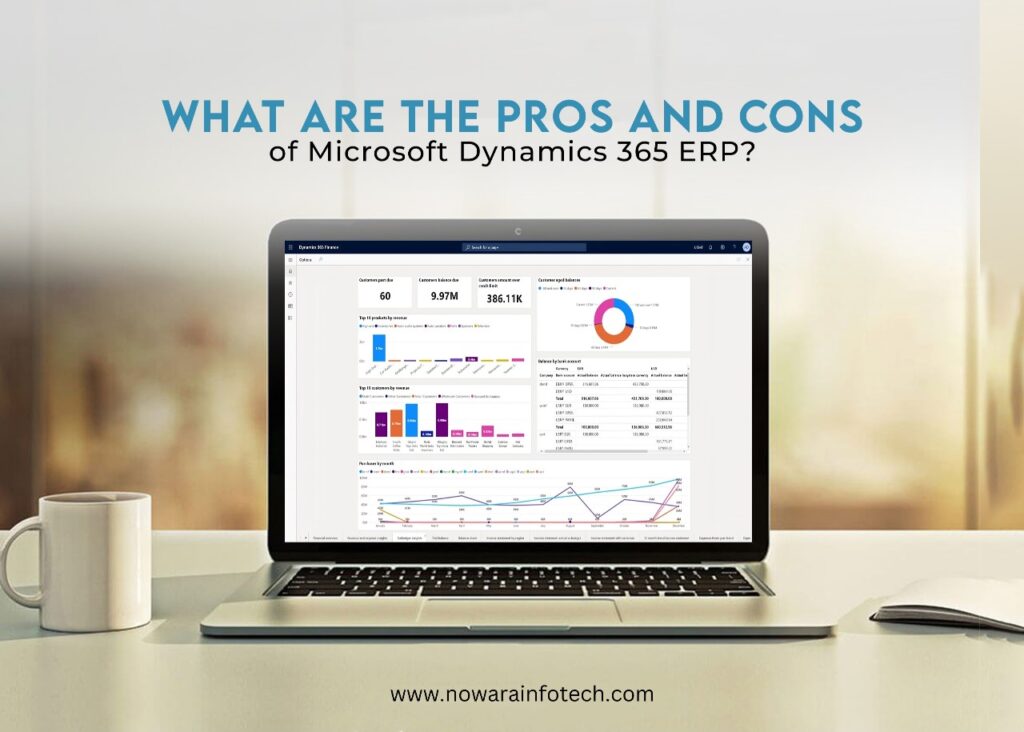
What are the Pros and Cons of Microsoft Dynamics 365 ERP?

Microsoft Dynamics 365 Business Central (BC) is a comprehensive enterprise resource planning (ERP) solution designed to streamline business processes for small to mid-sized organizations. It integrates various business functions, including finance, supply chain, sales, and customer service, into a single, unified system. Dynamics 365 BC is known for its flexibility, scalability, and ease of use, making it a popular choice among businesses seeking to enhance operational efficiency and drive growth. Industries Using Microsoft Dynamics 365 BC Microsoft Dynamics 365 business central ERP is utilized across various industries for its ability to adapt to specific business needs. Key industries include: Statistics on Microsoft Dynamics 365 ERP 2024 The positive impact of manufacturing ERP software and distributor ERP systems is increasingly evident, they regard it as a highly successful tool. Here are some compelling statistics: Successful Implementation Factors: The success of ERP implementation largely depends on internal organizational factors such as strong management support, thorough due diligence, and effective change management programs. Pros and Cons of Microsoft Dynamics 365 Business Central are Listed Below: Pros: Cons: Overall Experience with Microsoft Dynamics 365 Overall, Microsoft Dynamics 365 Business Central is highly regarded for its ability to unify various business functions into a single platform. Users appreciate its scalability, user-friendly interface, and comprehensive integration capabilities. However, the complexity of implementation and associated costs can be challenging, especially for smaller organizations only if the business lacks proper learning and implementation.  Contact Nowara Infotech Today and Request a Demo! Microsoft Dynamics 365 BC offers a powerful ERP solution that can significantly enhance business processes and operational efficiency. For businesses seeking a reliable ERP solution, Nowara Infotech is a certified Microsoft partner providing the best ERP solutions along with smooth implementation and support services for Microsoft Dynamics 365 BC. Contact Nowara Infotech today to learn how we can help you transform your business with the best ERP solution.

inventory ERP software solutions

How Inventory ERP Software Simplifies Complex Processes

Inventory management refers to the process of overseeing and controlling a company’s inventory levels, including the storage, monitoring, and movement of goods or materials. It encompasses various activities such as ordering, storing, tracking, and managing inventory to ensure optimal levels are maintained to meet customer demand while minimizing costs and maximizing efficiency. Consider this around 74% of businesses have encountered delays in shipments, while 48% are reassessing warehouse locations due to shifting trade patterns. Moreover  72% of retailers are gearing up to transform their supply chains with real-time visibility enabled by automation and analytics. Additionally, a staggering 85% of distributors in the chemical industry have reported out-of-stock shortages. These figures highlight the critical role of  inventory management ERP systems in addressing complex challenges and driving business success. The benefits of the ERP inventory management module include: What are the 4 types of inventory management systems? Best ERP for inventory management: Microsoft 365 Business Central Microsoft 365 Business Central stands out as one of the best ERP solutions for inventory management. With its robust features and seamless integration capabilities, Business Central offers businesses a comprehensive solution for managing their inventory operations effectively. From inventory tracking and replenishment to demand forecasting and reporting, Business Central provides businesses with the tools they need to optimize their inventory processes and drive growth. How can ERP applications improve inventory management? ERP applications can improve inventory management by automating manual processes, providing real-time visibility into inventory levels, optimizing inventory turnover, and enabling better decision-making through advanced analytics and reporting capabilities. By streamlining inventory operations and reducing manual errors, ERP applications help businesses improve efficiency, reduce costs, and enhance overall productivity. Nowara Infotech: Your Certified Partner for Microsoft ERP Solutions ERP applications play a crucial role in improving inventory management by providing businesses with enhanced accuracy, visibility, and efficiency in their inventory operations. With real-time insights into inventory levels, streamlined procurement processes, and optimized inventory levels, ERP systems enable businesses to meet customer demand effectively while minimizing carrying costs and maximizing productivity.  As a certified partner of Microsoft and a leading provider of ERP solutions, Nowara Infotech offers businesses cutting-edge software solutions tailored to their specific needs. With expertise in implementing and customizing Microsoft 365 Business Central, Nowara Infotech helps businesses streamline their inventory management processes and unlock their full growth potential. Overall, transitioning from manual to automated inventory management processes is essential for modern businesses looking to stay competitive in today’s market. By leveraging advanced inventory ERP software solutions, businesses can optimize their inventory operations, improve efficiency, and drive sustainable growth. With the right technology partner like Nowara Infotech, businesses can embark on their journey towards digital transformation and unlock new opportunities for success.

financial management tools

What are the functions of finance and operations in Dynamics 365? (Comprehensive Guide)

30% of organizations are choosing ERP software to manage their financial management, as revealed by Zipdo’s 2023 report. Moreover, Softwarepath’s 2022 findings emphasize that over 30% of businesses are adopting ERP systems to propel growth. These figures underscore the critical role ERP solutions play in navigating the dynamic terrain of modern business, enhancing financial practices, and driving organizational expansion. If you are among those seeking the best ERP software for financial services or a robust finance ERP solution, read on to discover how Dynamics 365 Finance and Operations can transform your financial management processes. Understanding Dynamics 365 Finance and Operations Dynamics 365 Finance and Operations is a powerful ERP solution that helps businesses streamline financial management and operational processes. It offers a wide range of integrated applications and modules to optimize finances, automate tasks, and drive growth effectively. But there must be some questions running into your mind as mentioned below: What Are the Functions of Finance and Operations in Dynamics 365? The Financial Management module within Dynamics 365 Finance and Operations provides the cornerstone for efficient financial tracking and decision-making. By offering core bookkeeping functions to monitor income, expenses, assets, and liabilities accurately, it catalyzes informed strategic planning and future-proof financial management. What Is D365 Finance and Operations Used For? With Dynamics 365 Finance and Operations, organizations can streamline and automate critical financial processes. From procurement to production and inventory management, this platform offers advanced features and automated workflows to simplify tasks such as expense management, cash and bank management, and cost accounting. By reducing manual efforts, businesses can optimize processes and drive efficiency across the board with finance ERP What Are D365 Finance and Operations Capabilities? One of the key benefits of Dynamics 365 Finance and Operations is its ability to enhance visibility across the entire organization. Through integrated financial management capabilities, business leaders can access valuable data in real time. Comprehensive dashboards and reports provide actionable insights, facilitating better decision-making and driving improved financial performance organization-wide. What Are the Modules in D365 Finance and Operations? In today’s competitive landscape, innovation is essential for staying ahead. Dynamics 365 Finance and Operations empowers organizations with advanced financial modelling capabilities. From budgeting to long-range planning, this platform enables businesses to create sophisticated financial models and forecasts. Leveraging AI and machine learning along with financial management tool, organizations can assess valuation, forecast sales growth, and evaluate the impact of potential business decisions on financial performance. •Financial Management: Core bookkeeping functions for tracking income, expenses, assets, and liabilities. Offers real-time data access and insights for strategic planning.•Procurement and Sourcing: Automates vendor management, purchase requisitions, and orders. Optimizes procurement strategies and ensures timely delivery of goods and services.•Production Control: Manages production planning, scheduling, and execution. Improves manufacturing processes and meets customer demand efficiently.•Inventory Management: Tracks inventory levels, movements, and costs. Provides real-time visibility and facilitates efficient planning and replenishment.•Human Resources: Handles employee management, payroll processing, and talent management. Streamlines HR processes and enhances workforce productivity. The Role of Finance and Operations in Driving Business Growth Dynamics 365 Finance and Operations represent a game-changer for financial management and business growth. With its comprehensive suite of modules and capabilities, it empowers organizations to unlock their full financial potential and drive sustainable success in today’s dynamic business environment.For organizations seeking to leverage the power of Dynamics 365 Finance and Operations, Nowara Infotech stands ready to assist. As a trusted provider of ERP solutions built on Microsoft Dynamics, Nowara Infotech offers comprehensive support and expertise to help organizations harness the full potential of their financial and operational processes along with the best ERP software for financial services. Contact us today to learn more about how Nowara Infotech can drive your business forward. With its proven track record and comprehensive suite of capabilities, it’s the ideal choice for organizations looking to thrive in streamlining the financial sectors.

The Best ERP Software For Manufacturing In India 2024

Best Manufacturing Industries Management ERP Software

The ERP Software Market is expected to be worth $300 billion by 2027, showcasing the increasing importance of efficient enterprise resource planning solutions in today’s business landscape. As the global ERP market continues to grow by 8% since 2022, manufacturers are recognizing the need for robust ERP systems to overcome operational challenges and stay competitive.In the manufacturing industry, businesses face numerous challenges without proper ERP software solutions. These hurdles range from inefficient processes to a lack of real-time insights, impacting overall productivity and profitability. Without a centralized system, businesses find it challenging to manage inventory, track orders, and optimize resources effectively, leading to delays in production and compromised customer satisfaction. So, if you are running any small or enterprise industries and thinking about having ERP software for manufacturing then this blog is for you. Application of ERP in Manufacturing Industries: ERP software plays a pivotal role in streamlining manufacturing operations by integrating various functions such as inventory management, production planning, and supply chain management. It provides real-time visibility into key metrics, enhances collaboration across departments, and automates routine tasks, leading to improved efficiency and decision-making. Additionally, ERP solutions offer modules for quality control, shop floor management, and CRM, further enhancing productivity and customer satisfaction. Leveraging the best ERP software for manufacturing will for sure help you in encountering these issues. Types of ERP Software and which one is best for you: On-Premises ERP: Traditional ERP systems are installed and maintained on-site, offering high customization but requiring substantial upfront investment and IT infrastructure.Cloud-Based ERP: Hosted on remote servers and accessed via the internet, providing scalability, flexibility, and cost-effectiveness with pay-as-you-go pricing models.Open-Source ERP: Source code is freely available, allowing customization and community support, but may require technical expertise for implementation and maintenance.Hybrid ERP: Combines on-premises and cloud-based solutions, offering the benefits of both models while addressing specific business needs and compliance requirements. Each above mentioned ERP deployment model offers unique advantages, but manufacturing industries can benefit greatly from Cloud-Based ERP solutions. With scalability, flexibility, and cost-effectiveness, Cloud-Based ERP addresses the dynamic needs of manufacturing businesses, enabling them to streamline operations, enhance productivity, and drive growth effectively. Most Used ERP Software in India for Manufacturing: Amidst various options, Microsoft Dynamics 365 Business Central emerges as the best ERP for manufacturing industries in India. With its robust features, seamless integration with Microsoft products, and scalability, Business Central empowers businesses to streamline operations, drive growth, and adapt to evolving market demands effectively. Which ERP is Better Than SAP: In comparison to SAP, Microsoft Dynamics 365 Business Central offers a more user-friendly interface, faster implementation, and lower total cost of ownership. With Nowara Infotech’s expertise as a certified partner of Microsoft, businesses can leverage Business Central’s capabilities to achieve operational excellence and sustainable growth. Way Forward with Nowara Infotech! As the ERP Software Market continues to grow exponentially, Nowara Infotech stands at the forefront, providing best-in-class ERP solutions customized for manufacturing industries. With their low-cost, high-value offerings and partnership with Microsoft, Nowara Infotech empowers businesses to optimize processes, drive innovation, and stay ahead in today’s dynamic market landscape. Embrace the future of manufacturing with ERP solutions built on Microsoft Dynamics 365 Business Central and unlock your business’s full potential. FAQ’s 1. Is ERP software widely used in the manufacturing sector of Gurugram and Noida? Yes, ERP adoption is growing rapidly in industrial hubs like Gurugram and Noida, where manufacturers rely on ERP to automate production, streamline inventory, manage multi-vendor supply chains, and maintain regulatory compliance. 2. Are ERP systems customizable for mid-sized manufacturers in regions like Pithampur and Bhopal? Definitely. Manufacturing ERP solutions can be tailored for operations in Pithampur and Bhopal, supporting batch production, machine maintenance, GST compliance, and real-time analytics—ideal for growing industrial units in Tier 2 cities. 3. What core manufacturing challenges does ERP software help solve? Yes. ERP tailored for electronics manufacturing supports fast design iterations, component-level traceability, and real-time inventory control. It helps manage short product life cycles, supplier coordination, and quality assurance efficiently—ideal for fast-paced electronics businesses. 4. Can ERP integrate with existing machines and IoT systems on the factory floor? Yes, modern ERP platforms are designed to integrate with IoT devices and smart machinery. This allows manufacturers to collect real-time data from production lines, monitor machine performance, and trigger maintenance alerts automatically. 5. How does ERP help manage multi-location manufacturing operations? ERP enables centralized control over production, procurement, and logistics across multiple plants or warehouses. It helps standardize processes, track inventory flow, and ensure consistent quality across all manufacturing sites. 6. What industries benefit most from manufacturing ERP systems? ERP is widely used across sectors such as automotive, electronics, machinery, food processing, chemicals, and packaging. Each ERP solution can be customized with industry-specific modules to address unique workflows and compliance requirements. 7. Is cloud-based ERP a better option for manufacturing businesses? Yes, cloud-based ERP is increasingly preferred for its scalability, lower upfront costs, automatic updates, and remote accessibility. It’s especially valuable for manufacturers looking to reduce IT overhead and ensure real-time operational visibility.

nowara

How The Best ERP Software Can Transform Your Business

Ever feel like your business is running a marathon with its legs tied together?  Imagine if all your departments worked together perfectly, like a winning relay team! That’s the magic of cloud ERP software.  ERP stands for Enterprise Resource Planning, and it’s basically a super-powered tool for your entire business. Microsoft is one of the best ERP software solutions providers, Studies show that businesses using cloud ERP see a whopping 23% jump in efficiency – that’s more time to focus on what really matters, like growing your business and making your customers happy! How can ERP Benefit Your Company’s Business?  ERP, built on the Microsoft Dynamics 365 platform, goes beyond just managing data. It helps streamline processes, improve collaboration, and boost your overall business performance. Here’s a glimpse of what it can do: How Does ERP software Improve Business Processes? Here’s how ERP tackles some common business process challenges: Key Benefits of Microsoft ERP 365 Business Central Benefit Description Increased Efficiency Reduce manual tasks and streamline workflows Enhanced Visibility Gain real-time insights into all areas of your business Improved Customer Satisfaction Deliver exceptional customer service with faster order fulfillment Better Inventory Management Avoid stockouts and overstocking with real-time inventory data Streamlined Sales & Order Management Automate tasks and improve sales team productivity Simplified Financial Management Gain control of finances with integrated accounting features Optimized Production Planning Ensure on-time delivery with efficient scheduling tools Stronger Customer Relationships Manage customer interactions and build lasting relationships (with Microsoft Dynamics CRM) Ready to Transform Your Business? Microsoft ERP is your one-stop solution for business transformation. At Nowara Infotech we understand the transformative power of ERP solutions. We offer a comprehensive range of services, including: Want to streamline all your business processes? contact Nowara Infotech today and unlock the power of the best ERP software.

How Point-Of-Sale (Pos) Systems Are Revolutionizing Manufacturing Industry

How Point-Of-Sale (Pos) Systems Are Revolutionizing Manufacturing Industry

The manufacturing industry is a powerhouse of innovation, constantly churning out the products that keep our world running. But what if I told you that a technology typically associated with retail stores is quietly transforming this sector? That’s right, Point-of-Sale (POS) systems are having a major impact on manufacturing, and the results are impressive. Studies show that manufacturers who’ve adopted POS systems have seen a significant 20% increase in operational efficiency. So, Let’s dive deeper and explore how POS manufacturing ERP software is revolutionizing the way things are made. What is POS in Manufacturing? POS in manufacturing refers to the software and hardware combination used to process transactions at the point of sale, typically in retail environments. However, in manufacturing, POS systems serve a broader purpose beyond simple transactions. They integrate with manufacturing ERP software like Microsoft Dynamics CRM to streamline operations, manage inventory, and enhance customer experiences. The Four Types of POS Systems 1. Stationary POS: Traditional checkout counters equipped with terminals for processing transactions. 2. Mobile POS: Utilizes mobile devices such as tablets or smartphones for on-the-go transactions, ideal for manufacturing environments with varying points of sale. 3. Online POS: Virtual platforms that enable customers to make purchases online, seamlessly integrated with physical POS systems. 4. Self-Service Kiosks: Empower customers to complete transactions independently, reducing wait times and enhancing efficiency in manufacturing settings. What is the Purpose of Point-of-Sale POS manufacturing ERP software? At its core, the primary purpose of a POS manufacturing ERP software in manufacturing is to facilitate smooth transactions. However, their functionalities extend far beyond this: Streamlined Operations: POS systems integrate with ERP for manufacturing industry, providing real-time insights into inventory levels, sales trends, and customer preferences. Enhanced Customer Experience: Quick and efficient transactions, personalized promotions, and seamless omnichannel experiences leave a lasting impression on customers. Improved Inventory Management: Accurate tracking of inventory levels prevents stockouts, minimizes excess inventory, and optimizes supply chain efficiency. Data-Driven Decision Making: Detailed analytics generated by POS systems empower manufacturers to make informed decisions regarding pricing strategies, product development, and resource allocation. How has technology improved point-of-sale transactions? Advancements in technology have revolutionized POS transactions, making them faster, more secure, and highly efficient: What does a POS system help prevent by accurately tracking inventory levels in real time? One of the most significant advantages of POS systems lies in their ability to accurately track inventory levels in real-time. This functionality helps prevent: In essence, POS systems serve as the backbone of modern manufacturing operations, driving efficiency, profitability, and customer satisfaction. By harnessing the power of technology and integration, manufacturers can stay ahead of the curve in an increasingly competitive market landscape. Nowara Infotech: Your Partner in Manufacturing POS Revolution The manufacturing landscape is changing rapidly, and Nowara Infotech is here to help you navigate the transformation.  Our expertise in POS systems and manufacturing ERP software can streamline your operations, boost efficiency, and empower you to make data-driven decisions. Ready to unlock the potential of POS systems in your manufacturing business? Contact Nowara Infotech today for a free consultation! We’ll assess your specific needs and recommend the perfect POS solution to optimize your workflow and propel your business forward.